Unit 1 Practical 2
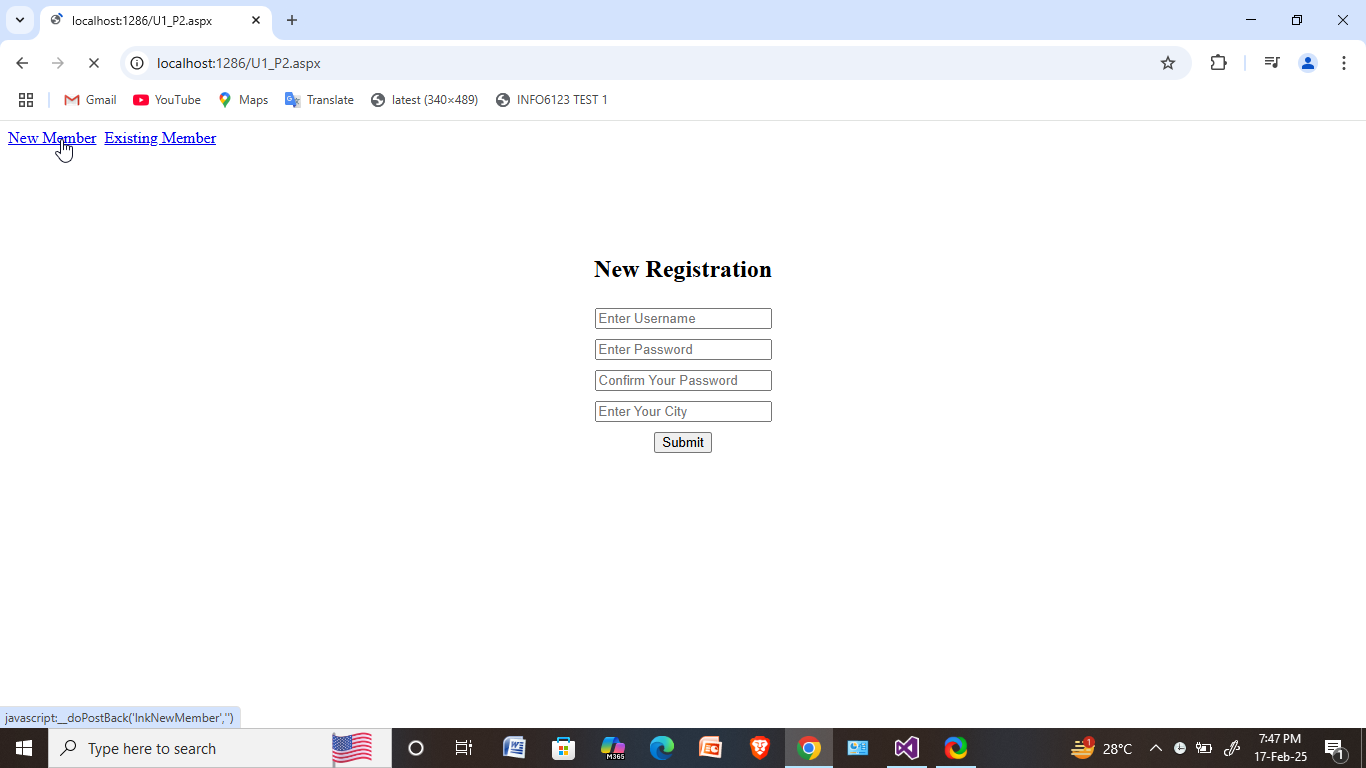
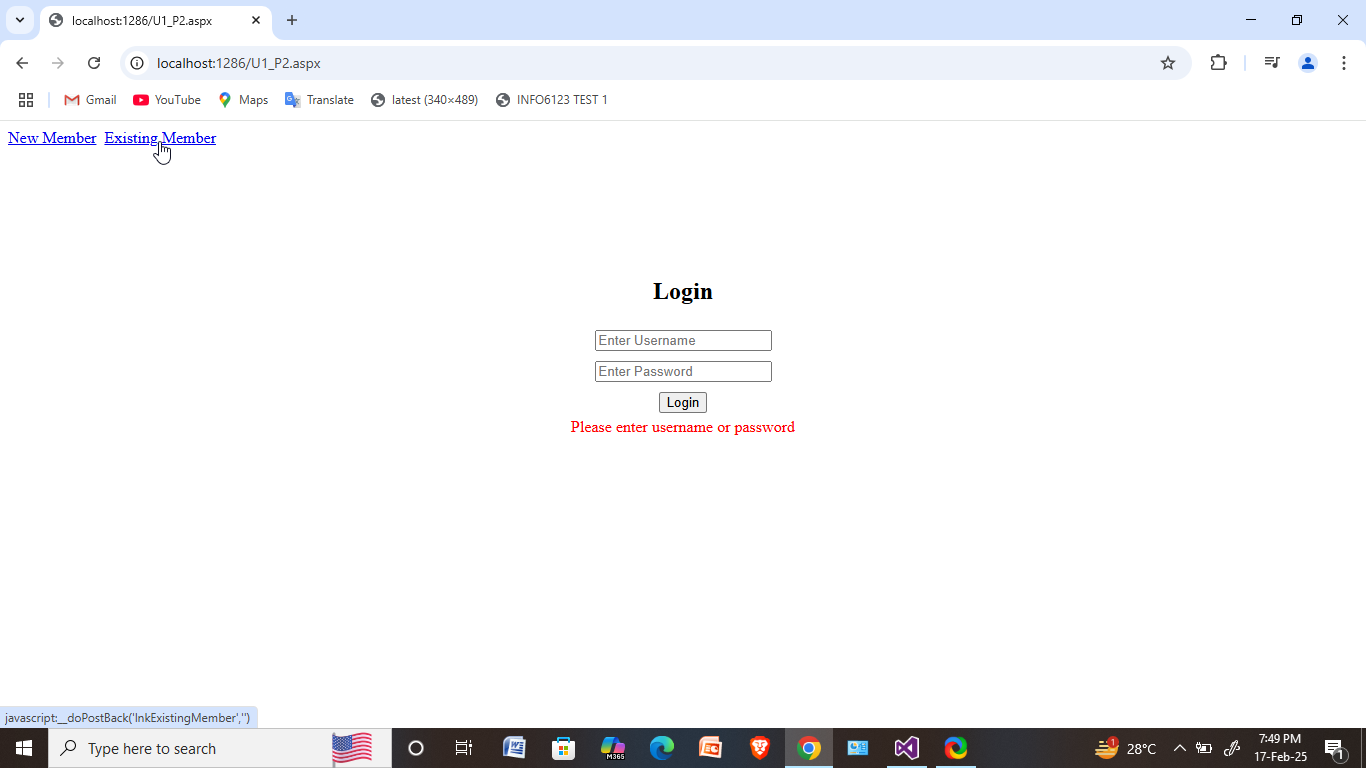
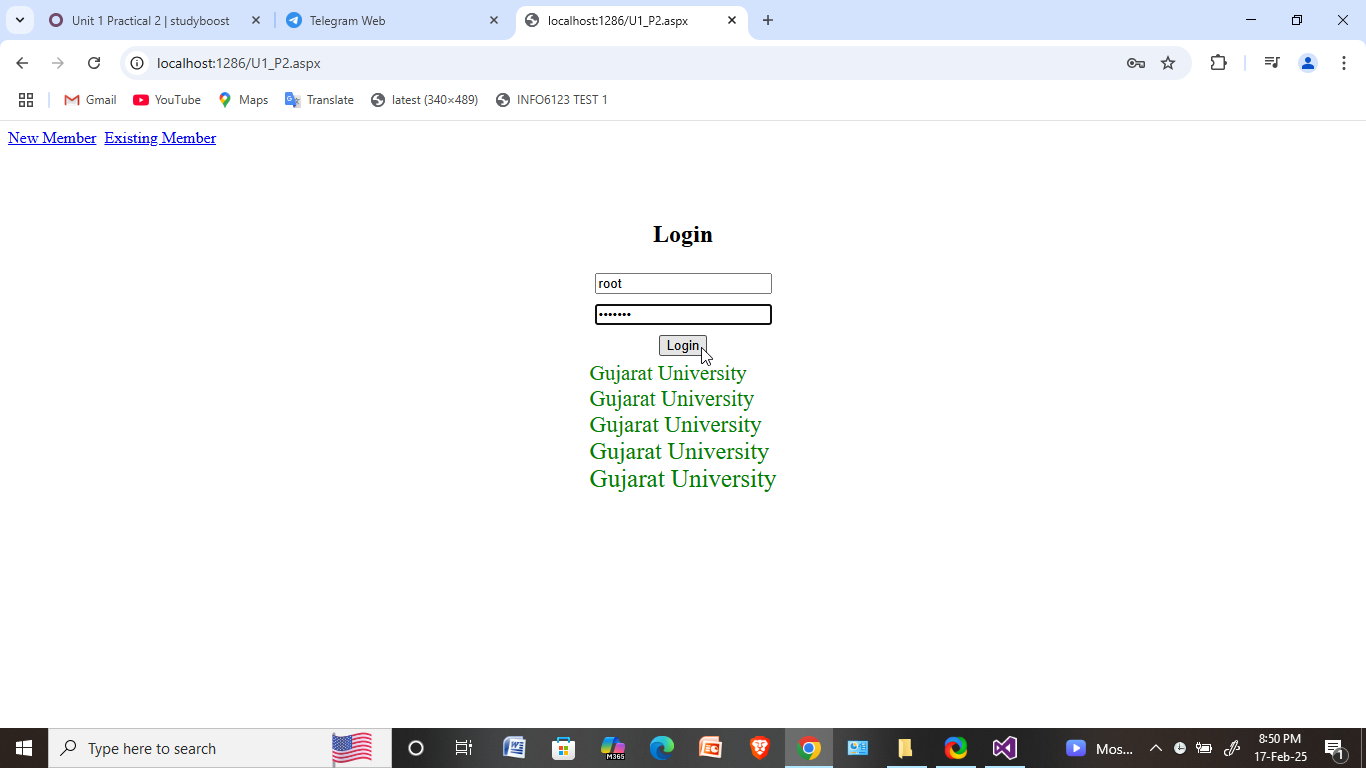
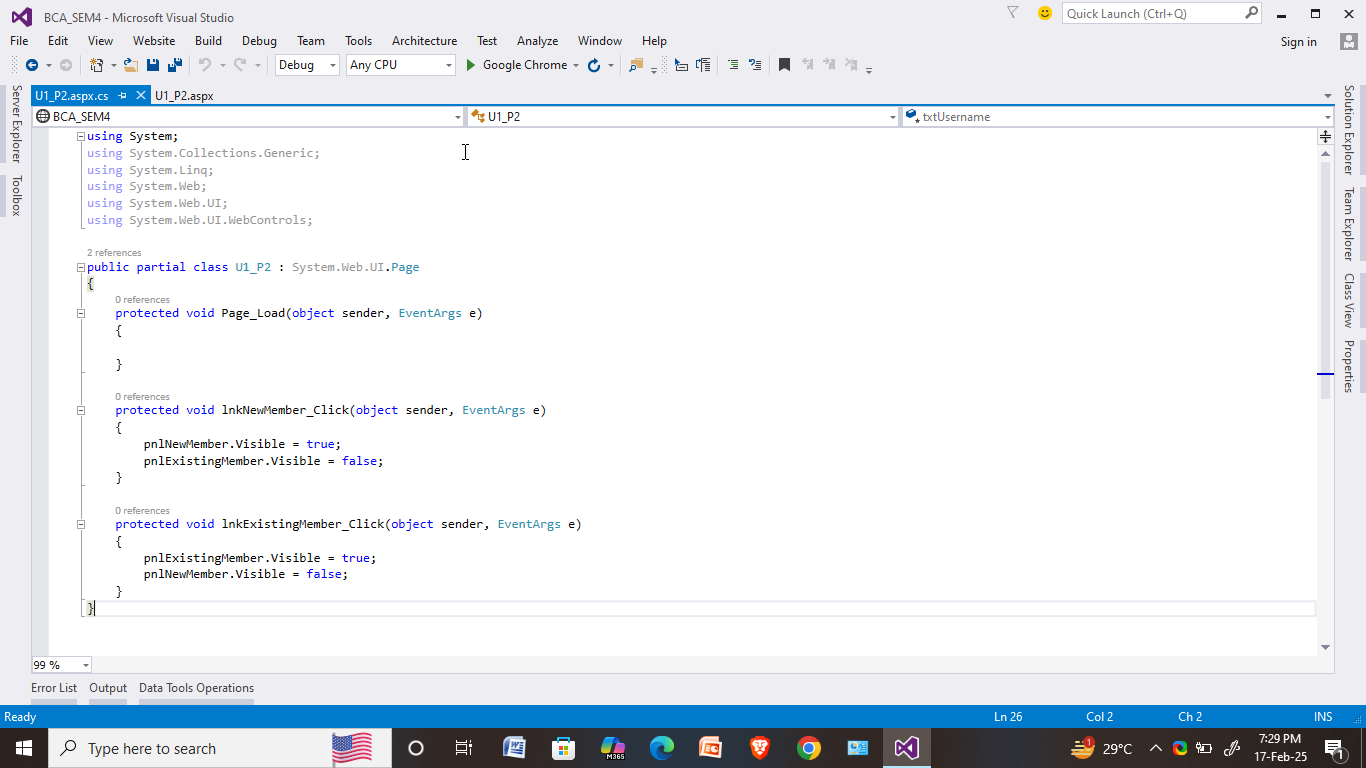
Take two linkbuttons showing 'New Member' and 'Existing Member'. When user clicks on the 'New Member' link button panell becomes visible, having user name, password, confirm password and email, city as inputs. When user clicks on 'Existing Member' link button then only panel becomes visible having user name and password as inputs. Set proper property of the textbox to mask the password. When user inputs in Existing Member matches with user name="Root" and password="abcd123" then print "Gujarat University" for 5 times, each in a new row with increasing font size by 1 each time. (Using code render block). Else display "Invalid user / password".
U1_P2.aspx

U1_P2.aspx.cs
OUTPUT: